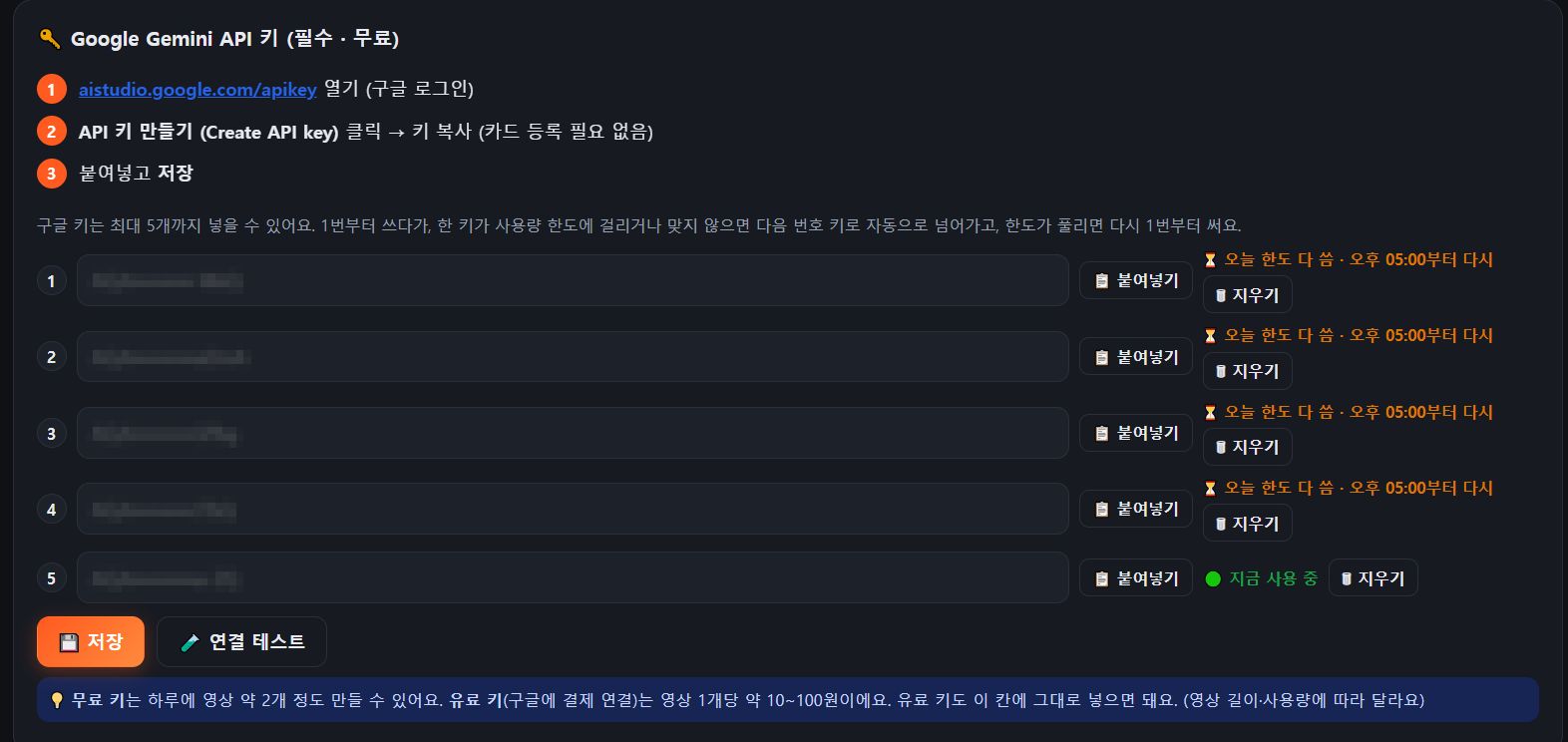
0First time only: add your Google Gemini API key (free)
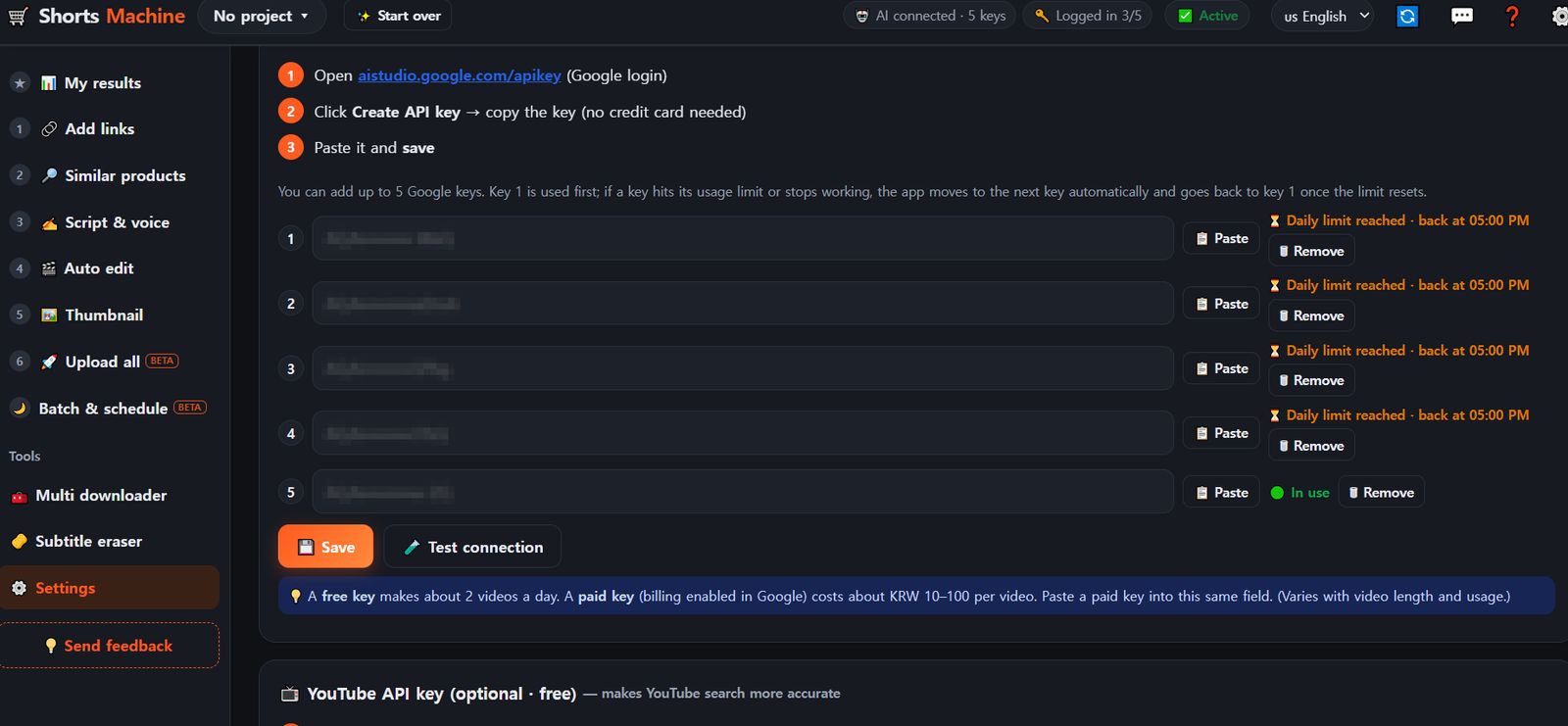
Sign in with Google at aistudio.google.com/apikey → "Create API key" → copy it (no card needed) → paste it into the key box in ⚙️ Settings and save.
You can add up to 5 keys. When one key reaches its daily limit, the program moves to the next key automatically.
Make one key for each Google account you already have and add them all, and your work never stops.
A free key covers about 2 videos a day. If you make a lot, a paid key is recommended (about KRW 10–100, roughly $0.01–0.07, per video).
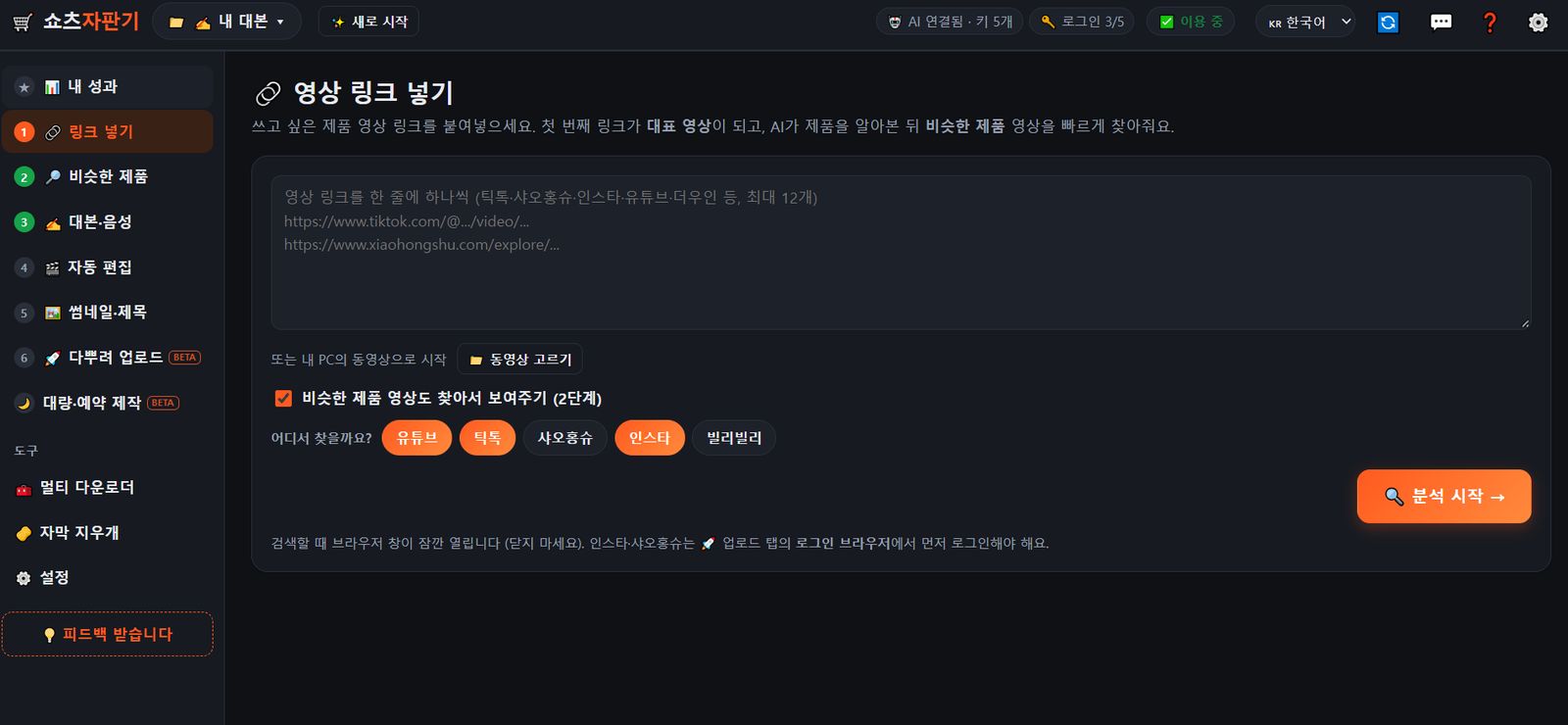
1Add links
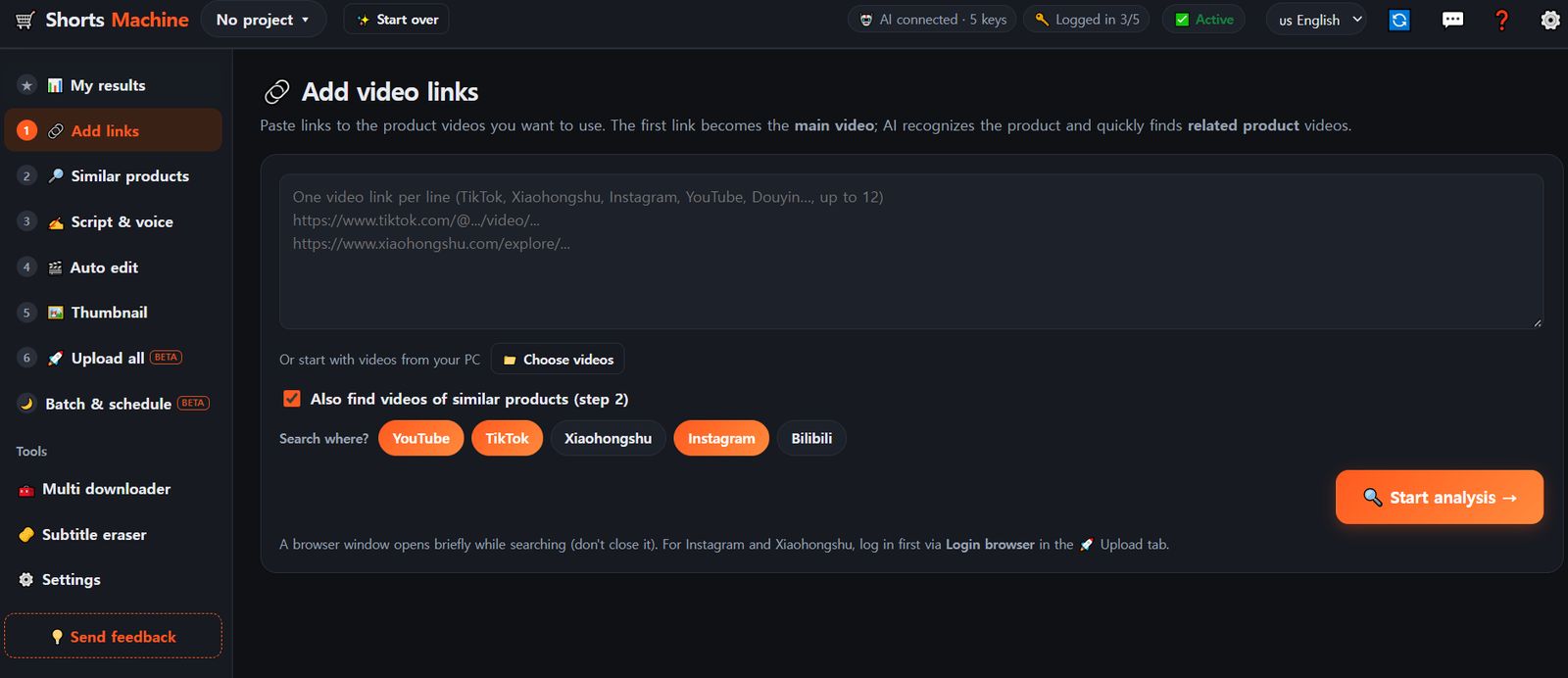
Paste product video links, one per line (TikTok, Xiaohongshu, Instagram, YouTube, Douyin and more — up to 12).
The first link is the main video.
Videos on your PC work too.
Choose where to search and press "Start analysis".
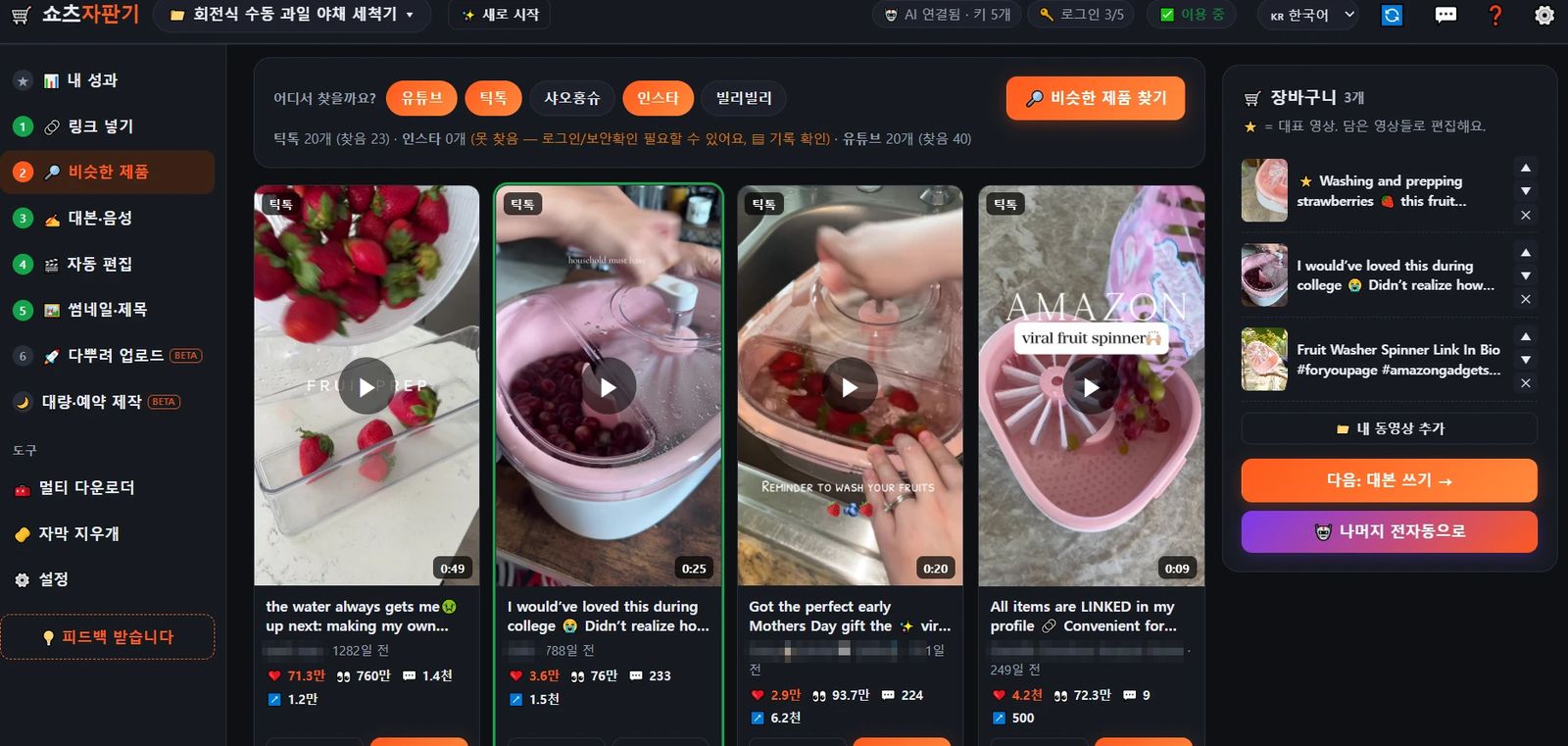
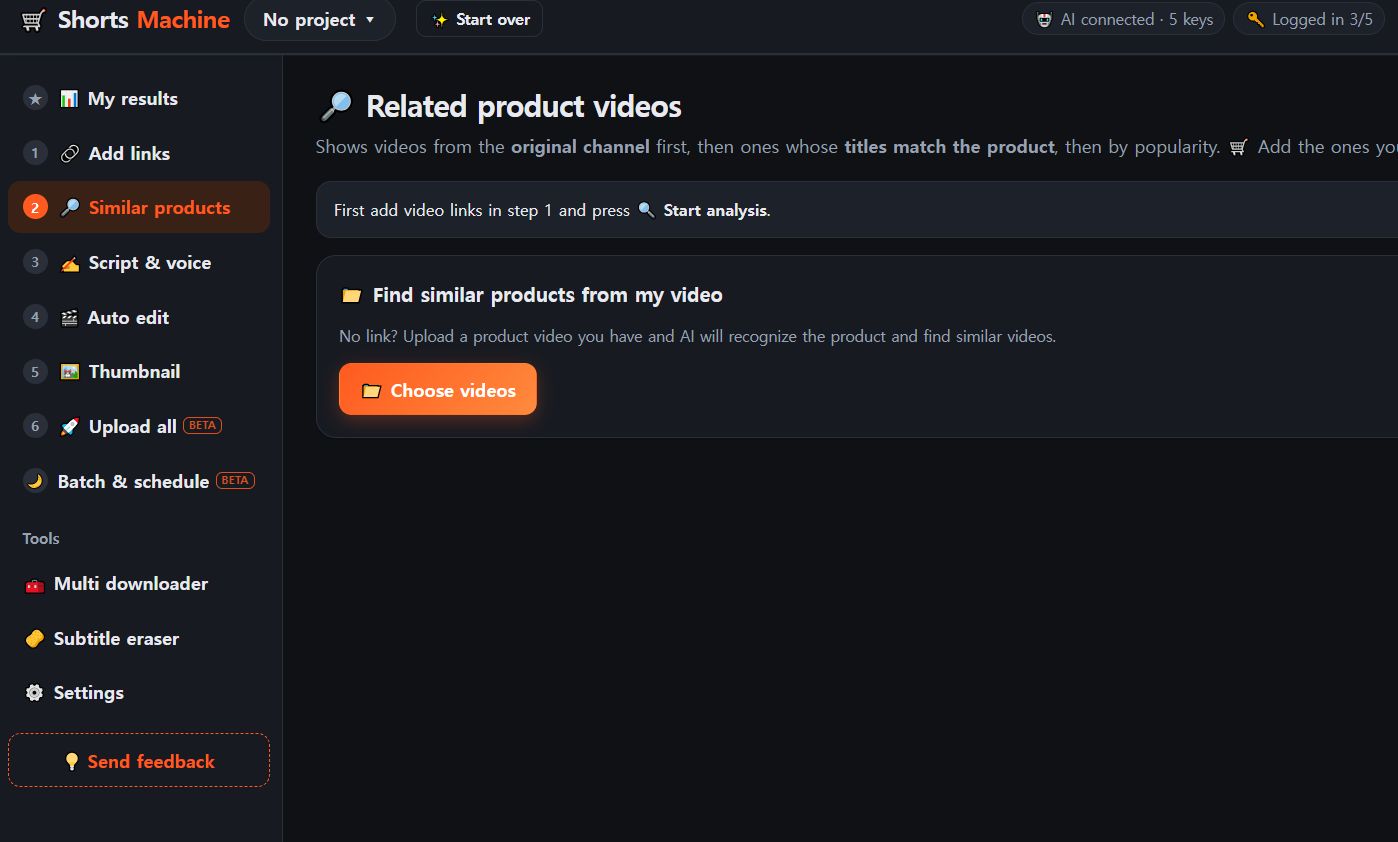
2Similar products
AI shows videos of the same product along with their views and likes.
Put the ones you like in the cart and press "Next: write script".
"Do the rest automatically" takes it all the way to the end on its own.
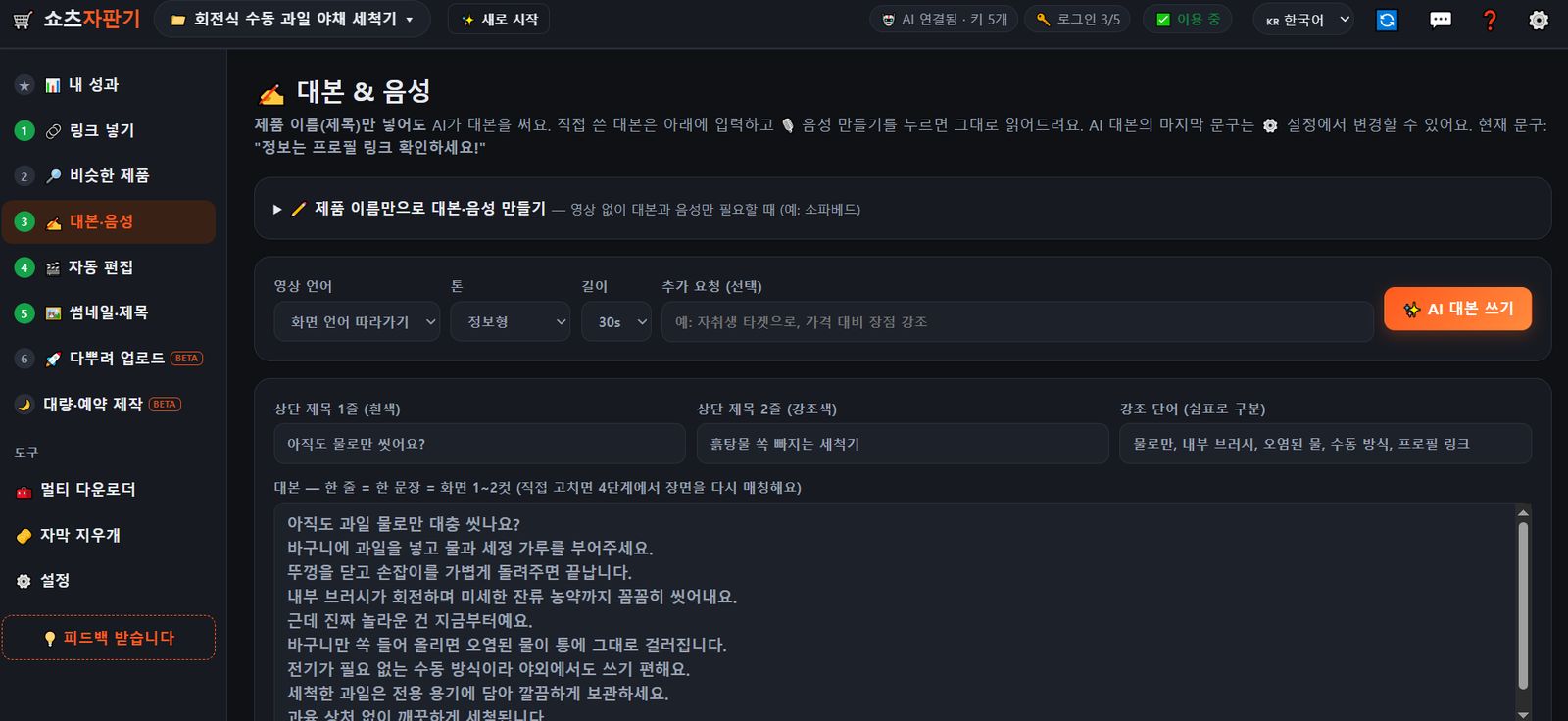
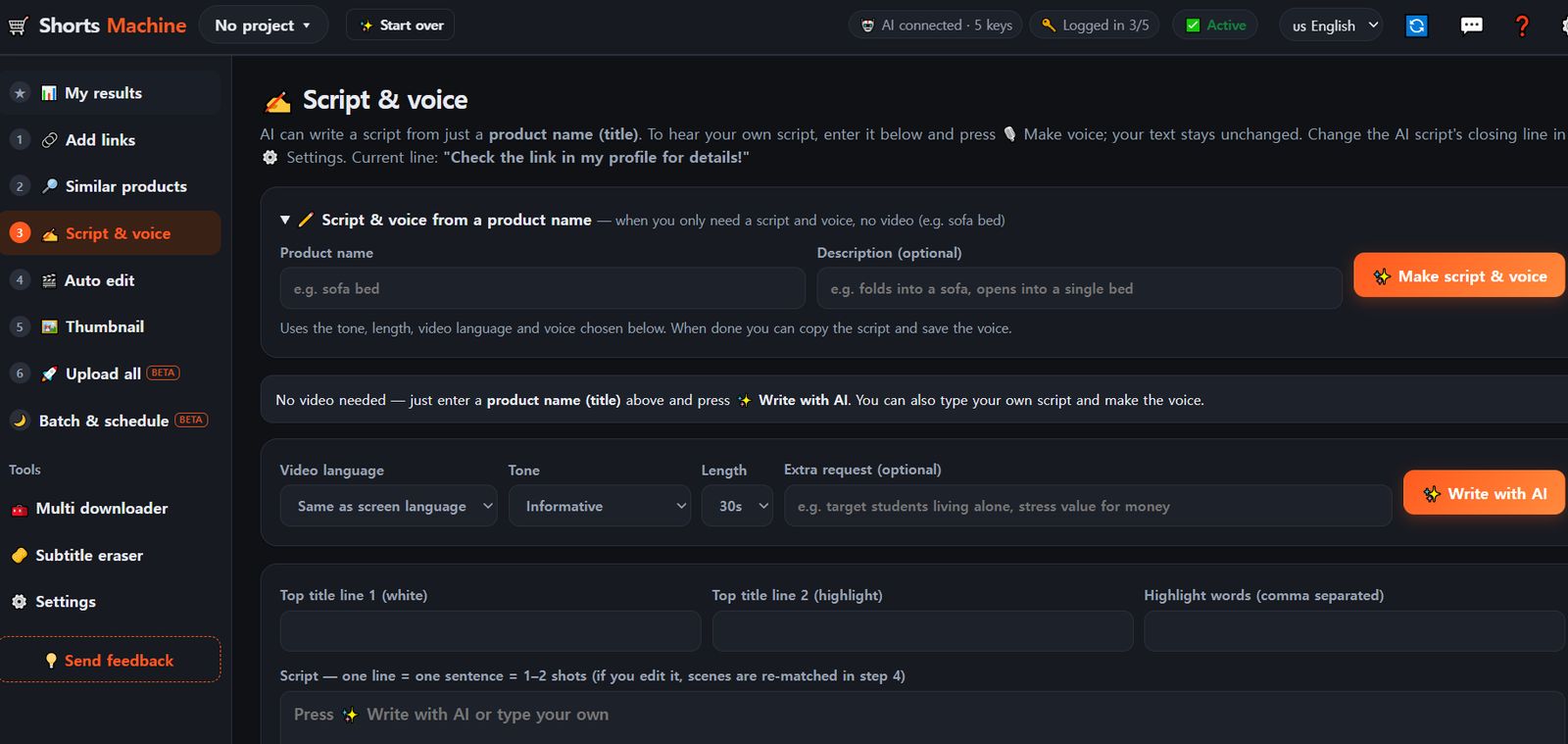
3Script & voice
Choose the language, tone and length and press "Write with AI" → you get two title lines for the top, highlight words and the script (you can edit them yourself).
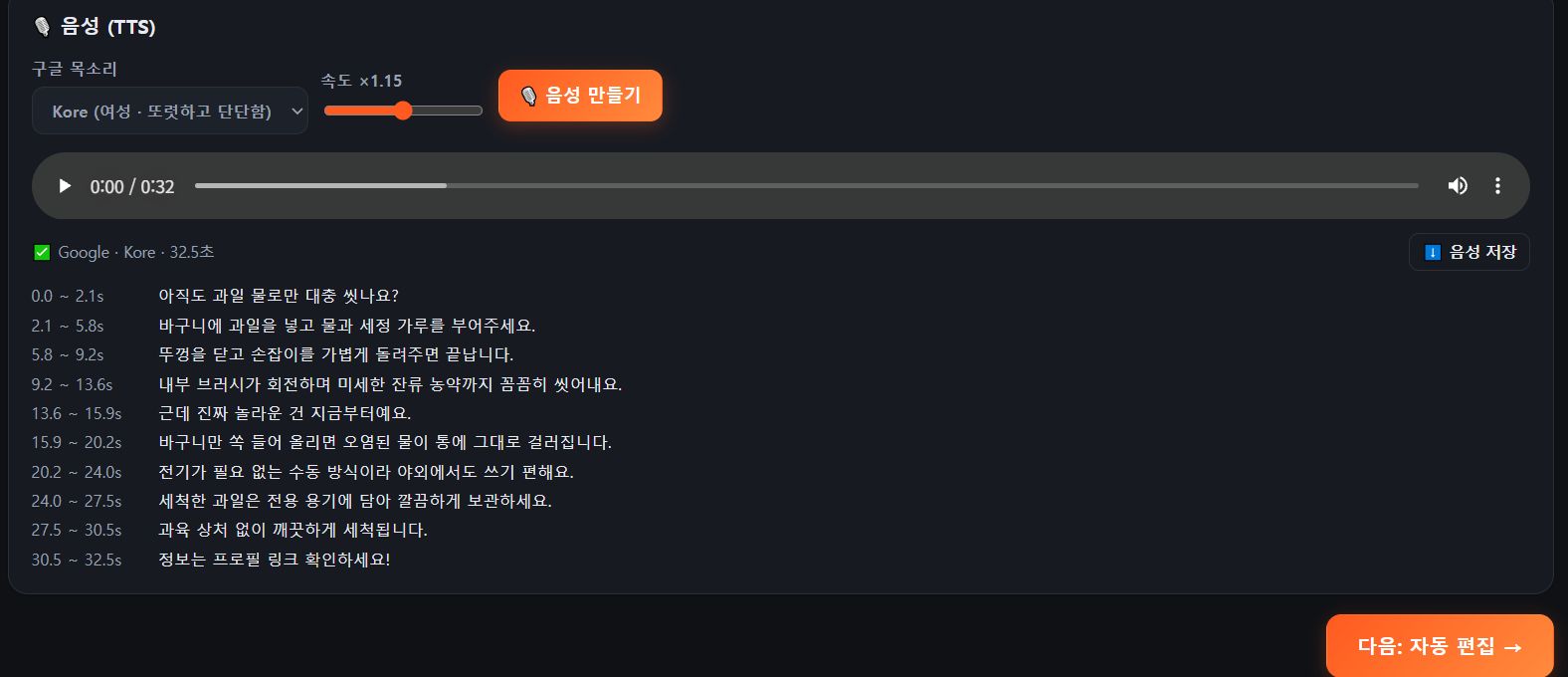
Choose a voice and speed and press "Make voice" → you get a voice-over with a timing for every sentence.
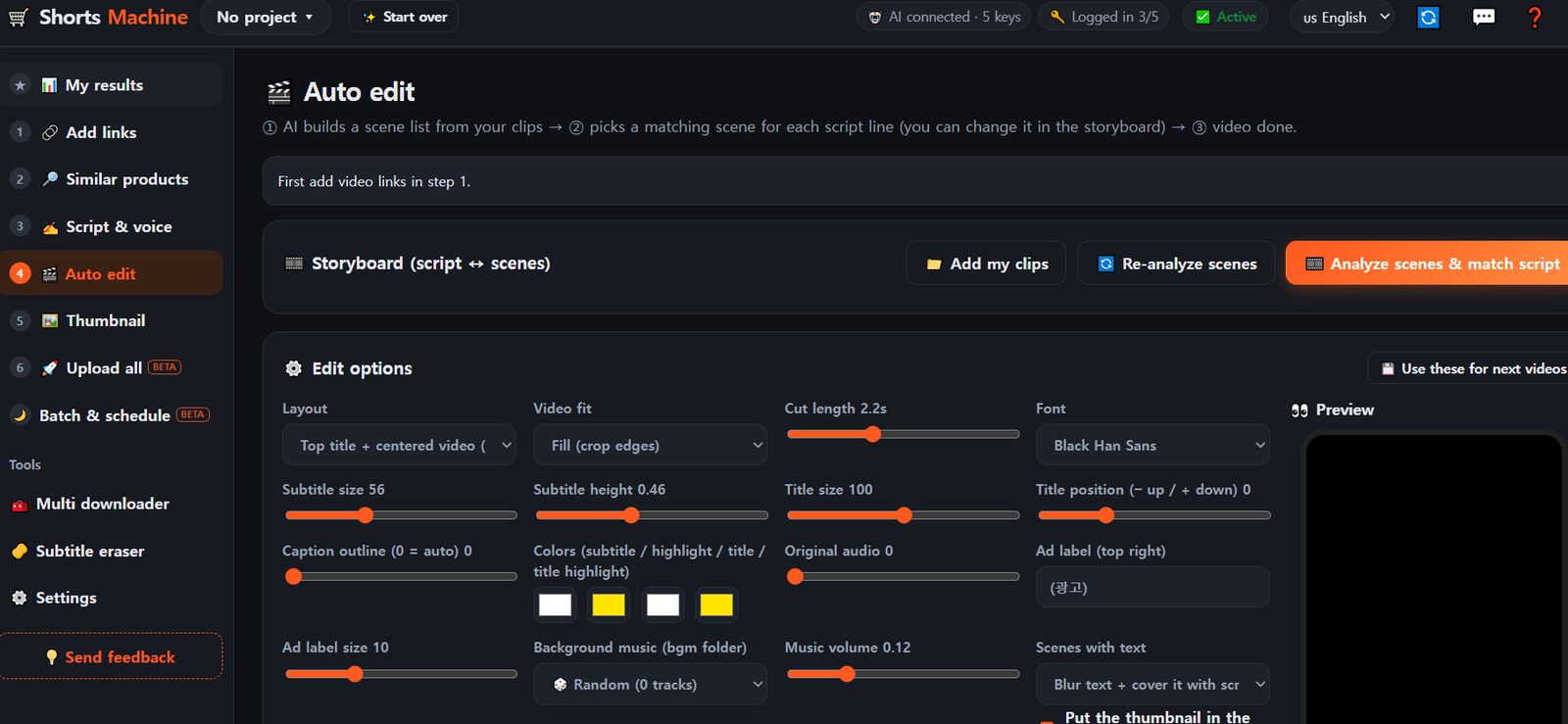
4Auto edit
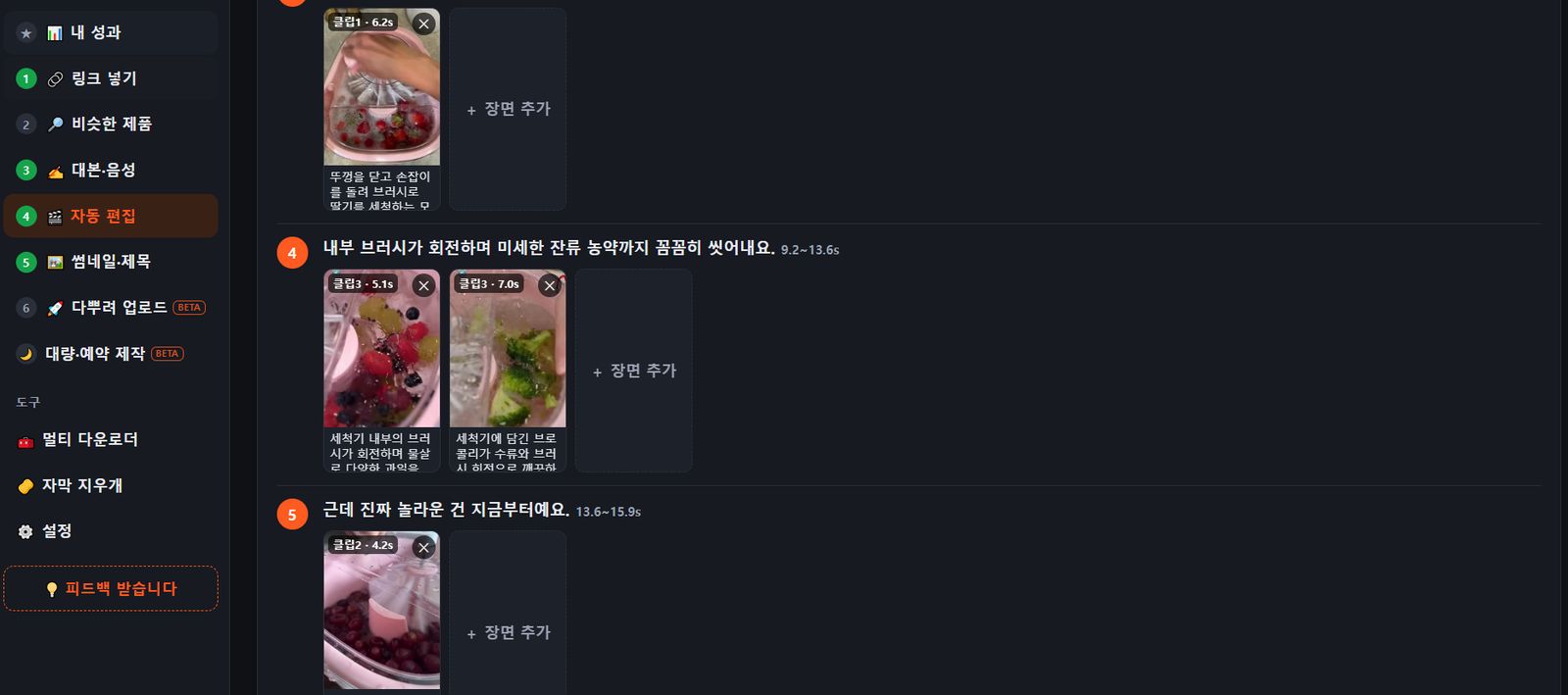
Scenes are matched to every sentence automatically; remove one or swap it with "Add scene".
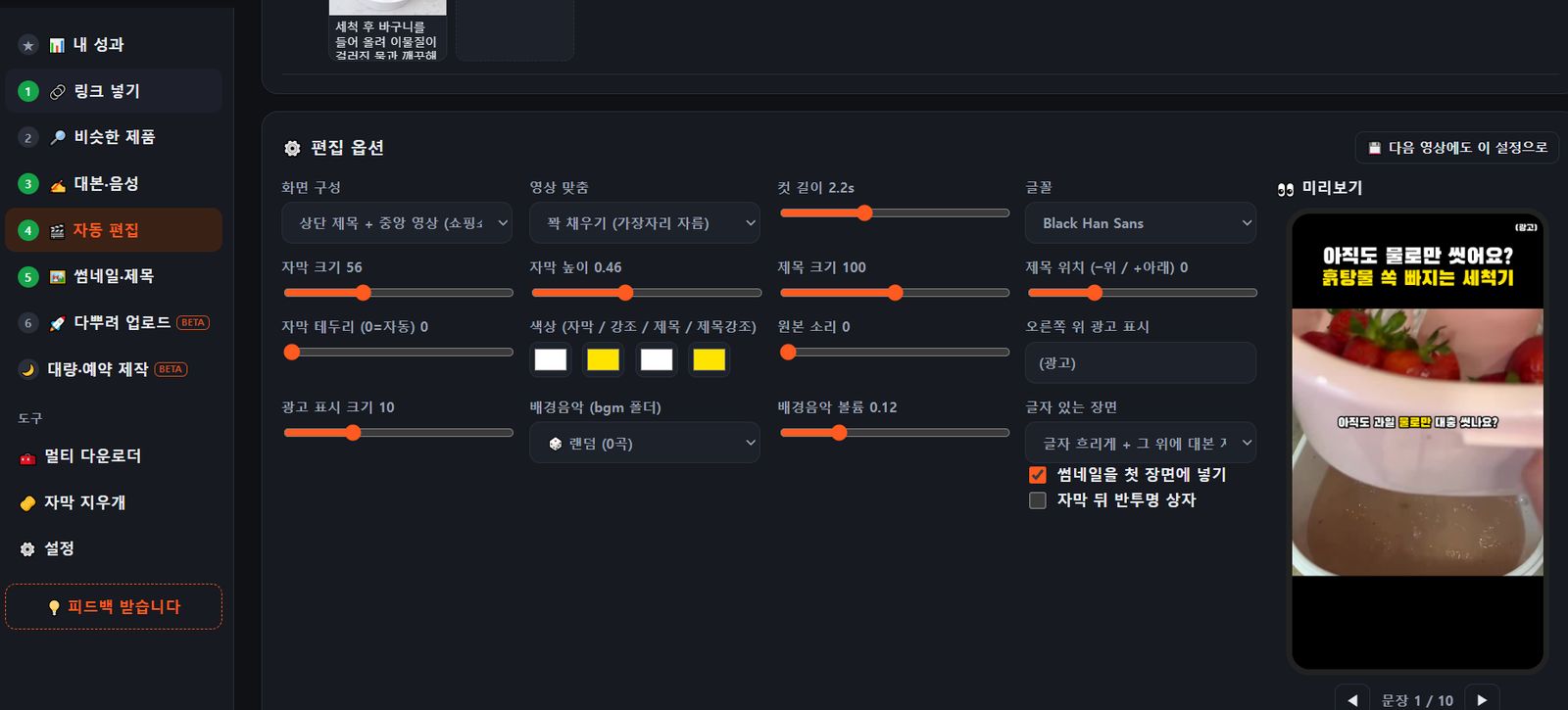
Adjust caption size, position, font, colors, background music and the (Ad) label, and check the preview.
Save it with "Use these for next videos".
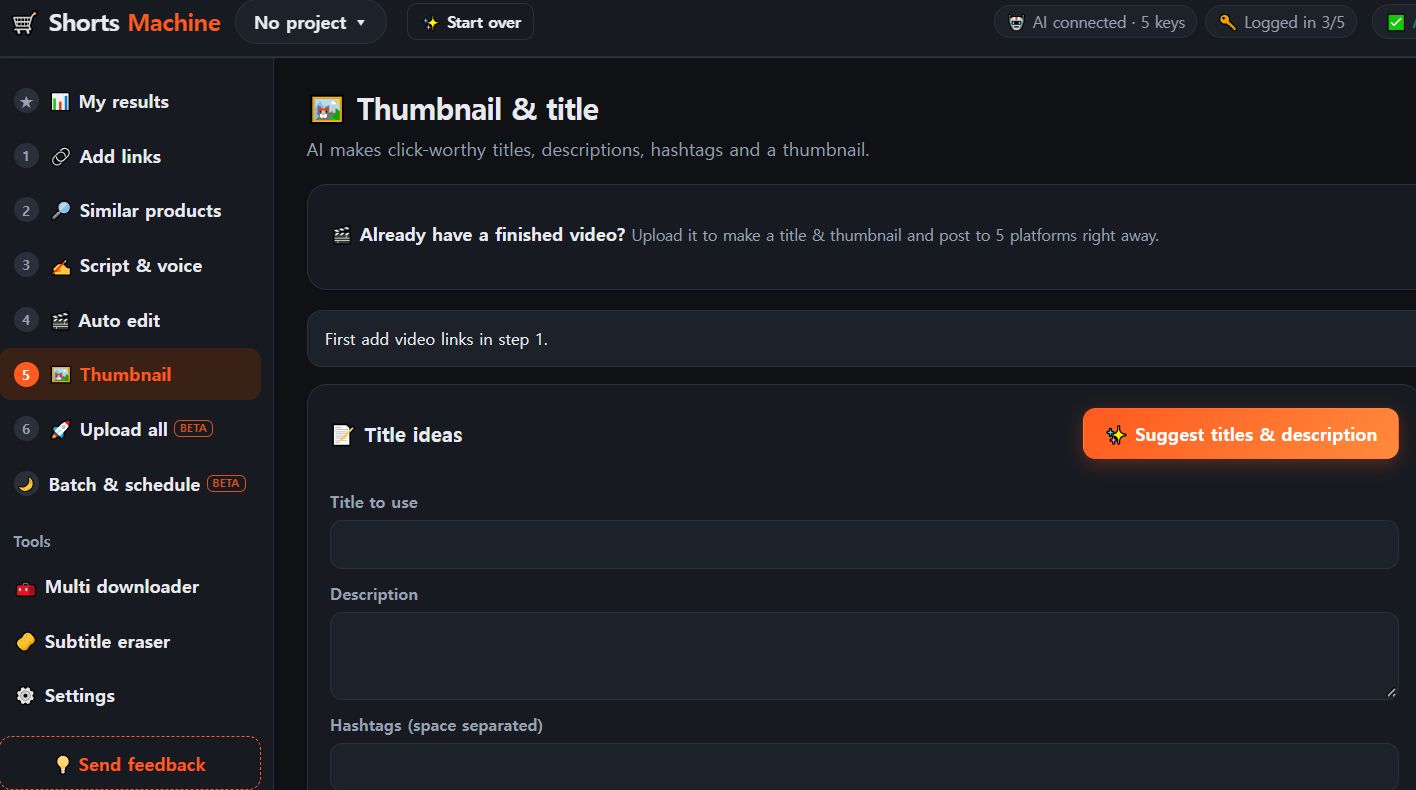
5Thumbnail & title
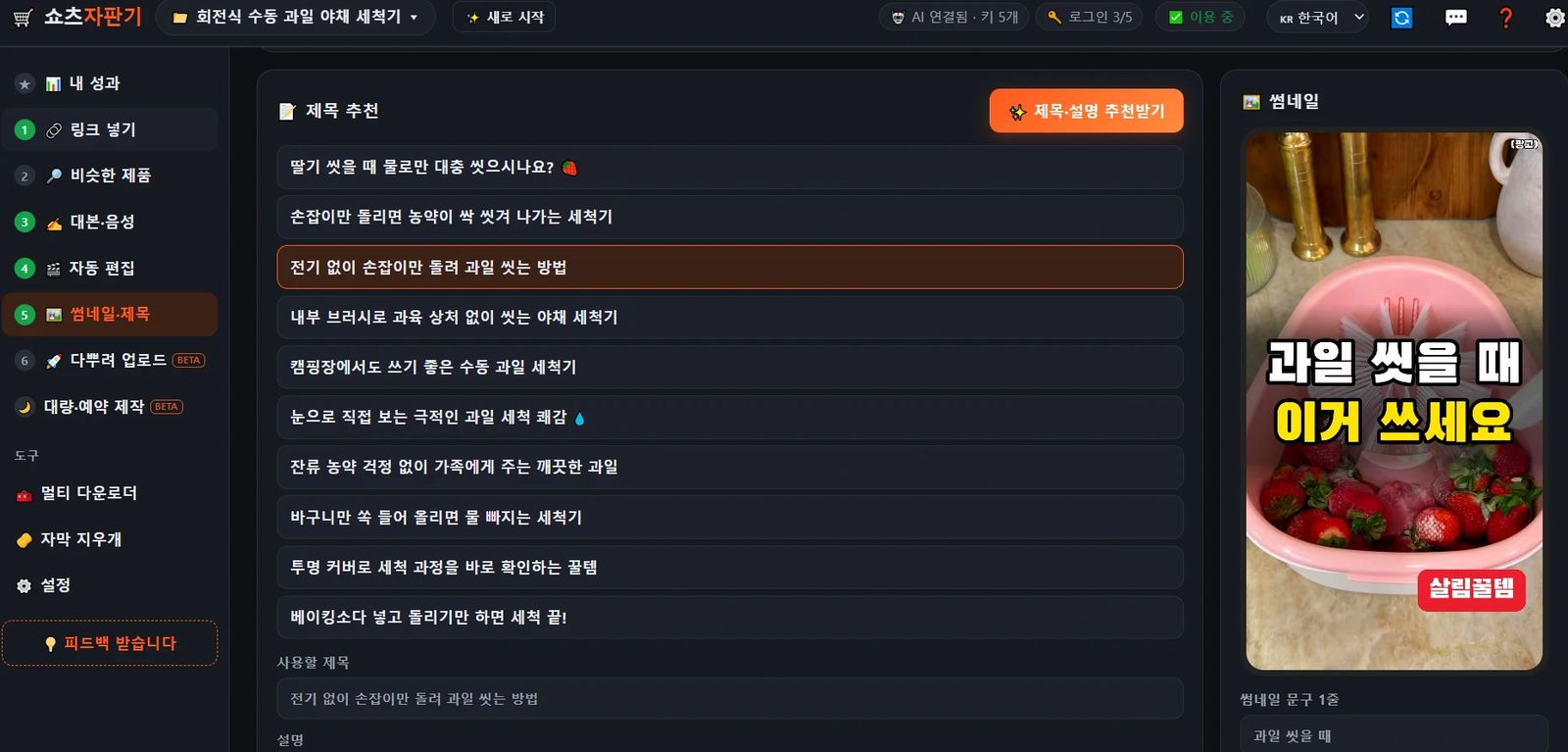
"Suggest titles & description" → 10 titles. Pick one and the description, hashtags and thumbnail text are filled in automatically.
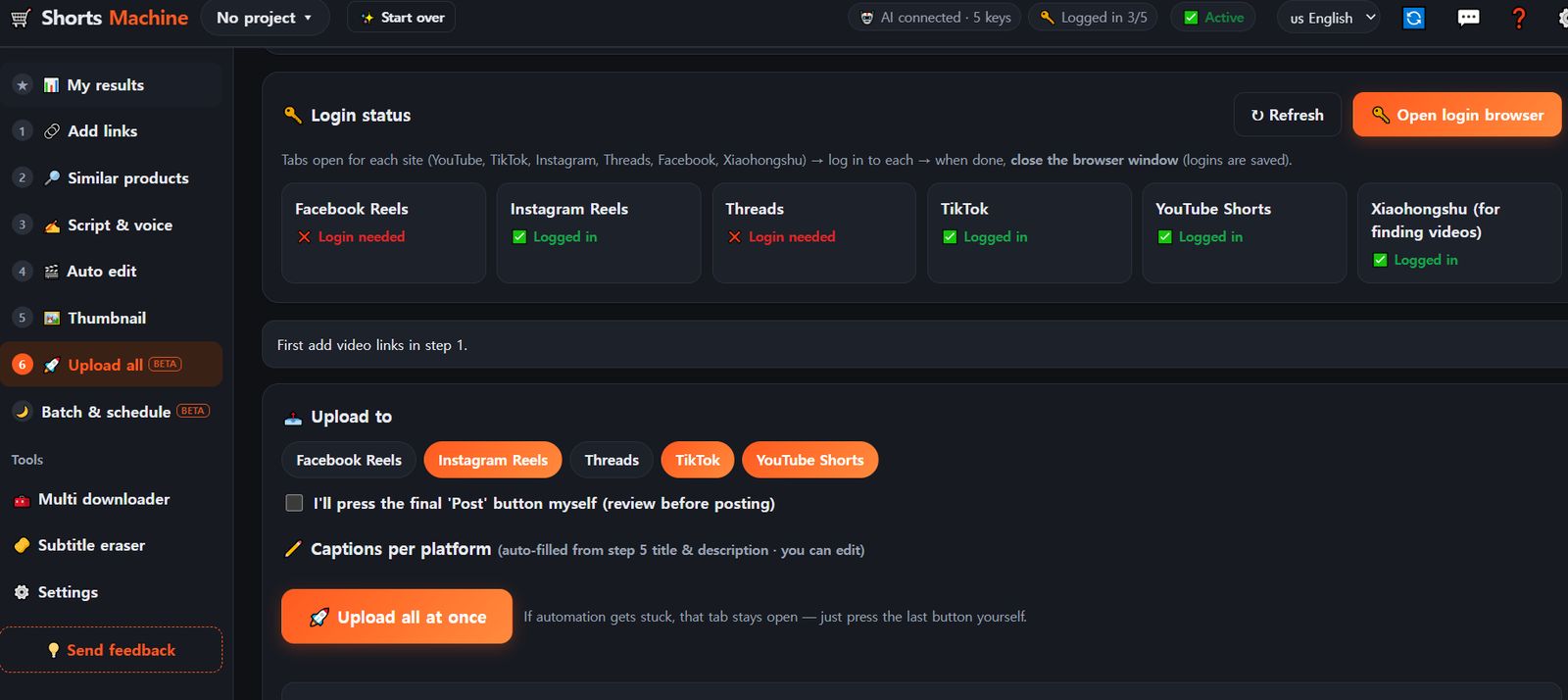
6Upload all
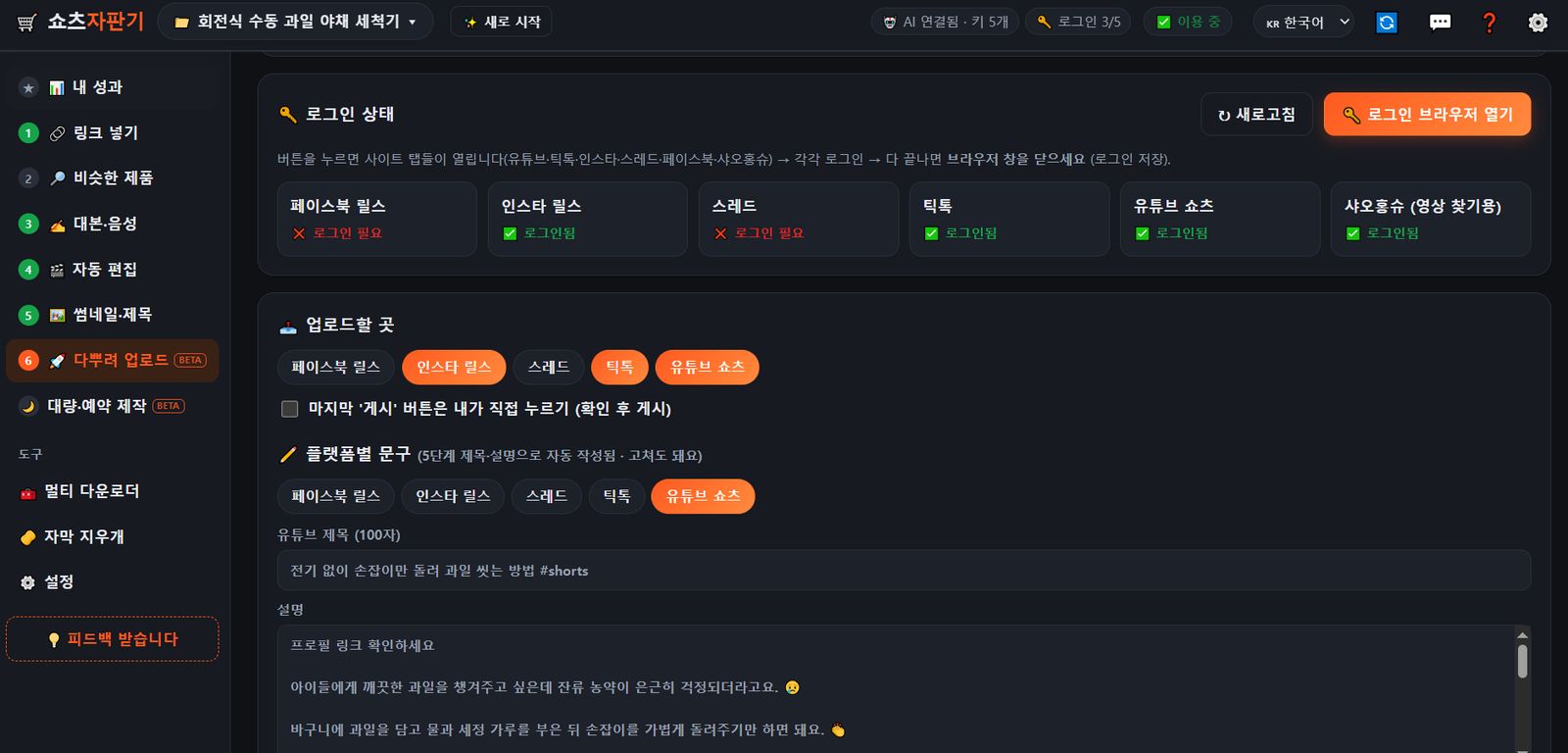
First time only: "Open login browser" → log in to each site → close the window.
Choose YouTube Shorts, TikTok, Instagram Reels, Threads and Facebook Reels — the caption for each platform is written automatically.
Want to check it yourself? Tick "I'll press the final 'Post' button myself".