⬇️ How to install
Install → get past the "Windows protected your PC" window → add your Google AI key. That's all it takes. After installing, you can try it free for 3 days with no card.
🪟 Download not working or blocked? Get 'Shorts Machine' from the Microsoft Store
If Chrome warns: ⋯ > Keep > Keep anyway
🆚 Site app vs Store app — what's different?
- Features: Same core features — video creation, editing and simultaneous upload to 5 platforms. The personal link page and Coupang auto-link are only in the site app.
- Payment & price: The site app uses passes / PayPal plans; the Store app uses a Microsoft subscription (monthly $28.99 · yearly $198.99, shown in your local currency). Monthly is cheaper on the site.
- Updates: The site app updates right away; the Store app gets new features about 3 days later, after Microsoft review.
How-to video
🪟 Also available on the Microsoft Store
The Store version updates automatically through the Microsoft Store, and you subscribe in the Store (1-week free trial).
🪟 Get it from Microsoft Store See differences from the chedlab.org version →
🆚 chedlab.org version vs Microsoft Store version
| Item | chedlab.org version | Microsoft Store version |
|---|---|---|
| Install / updates | Installer from chedlab.org; in-app updater (“Check for updates”, restart to apply) | Installed and auto-updated by the Microsoft Store (in-app update off) · new versions arrive about 3 days later than the site, after Microsoft review |
| Video download tool (yt-dlp) | Auto-refreshed daily by the app | No self-update — refreshed with Store app updates |
| Payment | Pass / license key (KR bank transfer 1-month, 6-month and 1-year passes; PayPal subscription for international) | Microsoft Store subscription (monthly or yearly, no license key) · manage at account.microsoft.com/services |
| Price | Passes / site plans — monthly is cheaper than the Store version | $28.99/month · $198.99/year (the Microsoft Store shows your local currency) |
| Free trial | Free trial issued by the site (3 days by default) | 1-week free trial via the Store subscription |
| Without subscription | Free plan per server settings | Tools only, 0 videos/day — everything else locked until subscribed |
| Beta personal link page (chedlab.org/u/...) | ✓ Yes | ✕ Not available (link-page screen not loaded) |
| Affiliate links (manual + auto deeplink via the affiliate API) | ✓ Yes | ✕ Not available (settings cleared) |
| Shopping/affiliate text in uploads | ✓ Link, “(Ad)” stamp, disclosure, caption head/tail, pinned-comment link supported | ✕ URLs and affiliate/shopping solicitations stripped from titles/descriptions/captions; no “(Ad)” default; product-link column empty in CSV export; AI told not to create affiliate links/CTAs |
| In-app “💡 Feedback” chat | ✓ Yes | ✕ Hidden (use ❓ Help → Report a problem) |
| In-app update news feed | ✓ Yes | ✕ Not shown (release notes in the Store) |
| Upload / batch upload | Direct | One-time upload consent notice before first use |
Same in both: all core video features (analysis, script, voice, thumbnails, editing/preview, upload, batch) and your own Gemini API key(s), stored locally on your PC.
🪟 Install on Windows
- Run the downloaded ShoppingShorts_Setup.exe — click it in your browser's download list or double-click it in your Downloads folder.
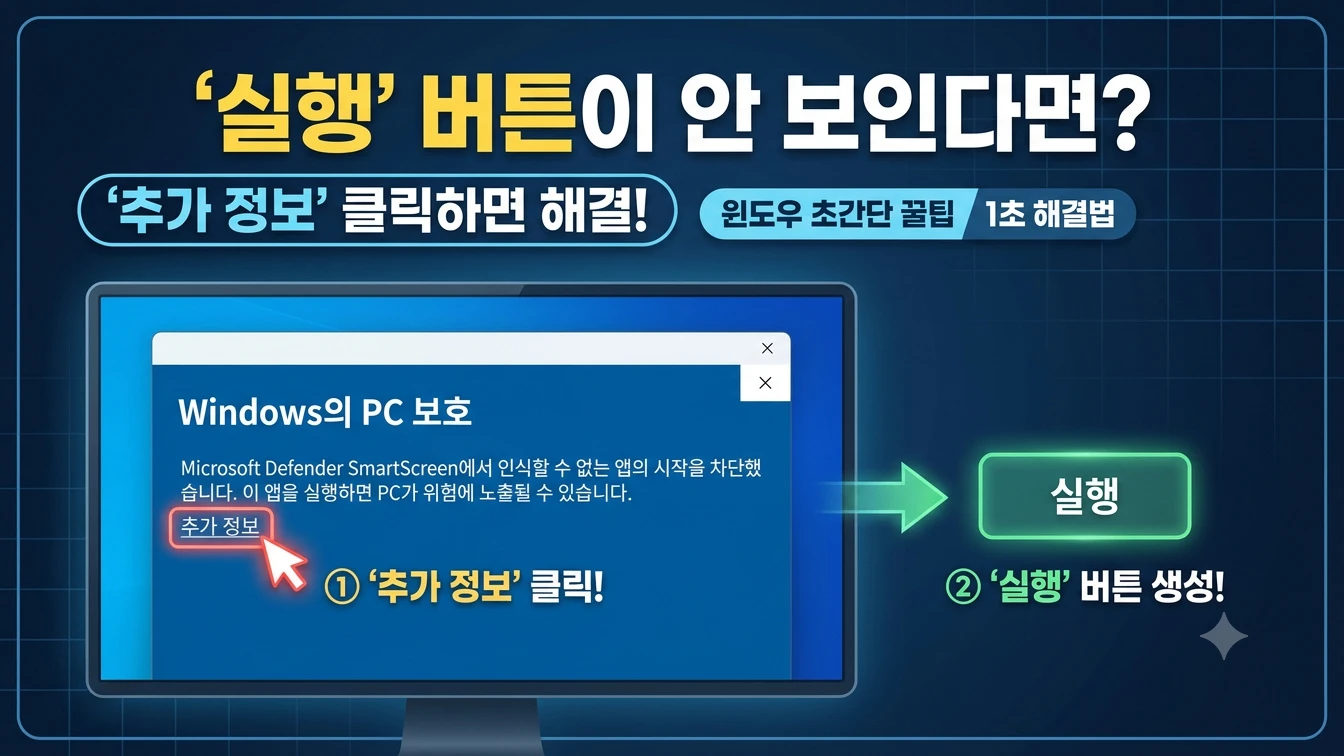
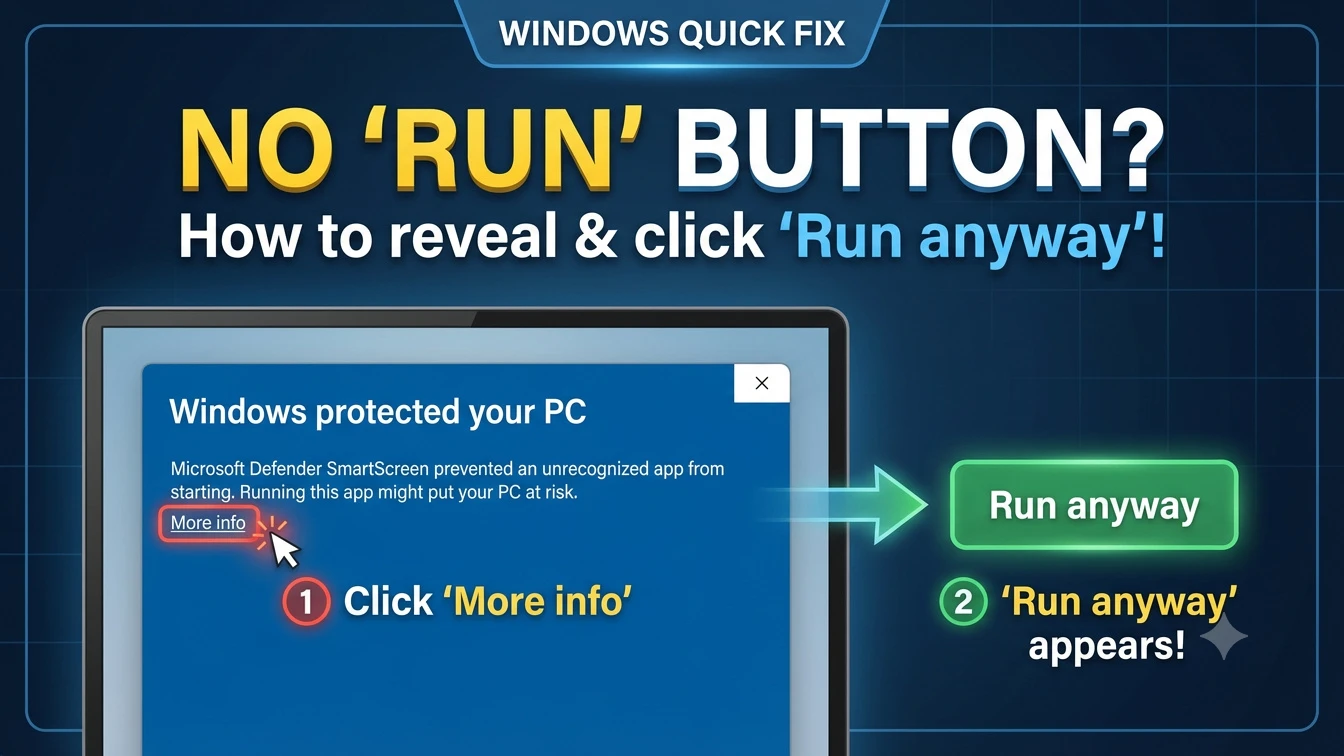
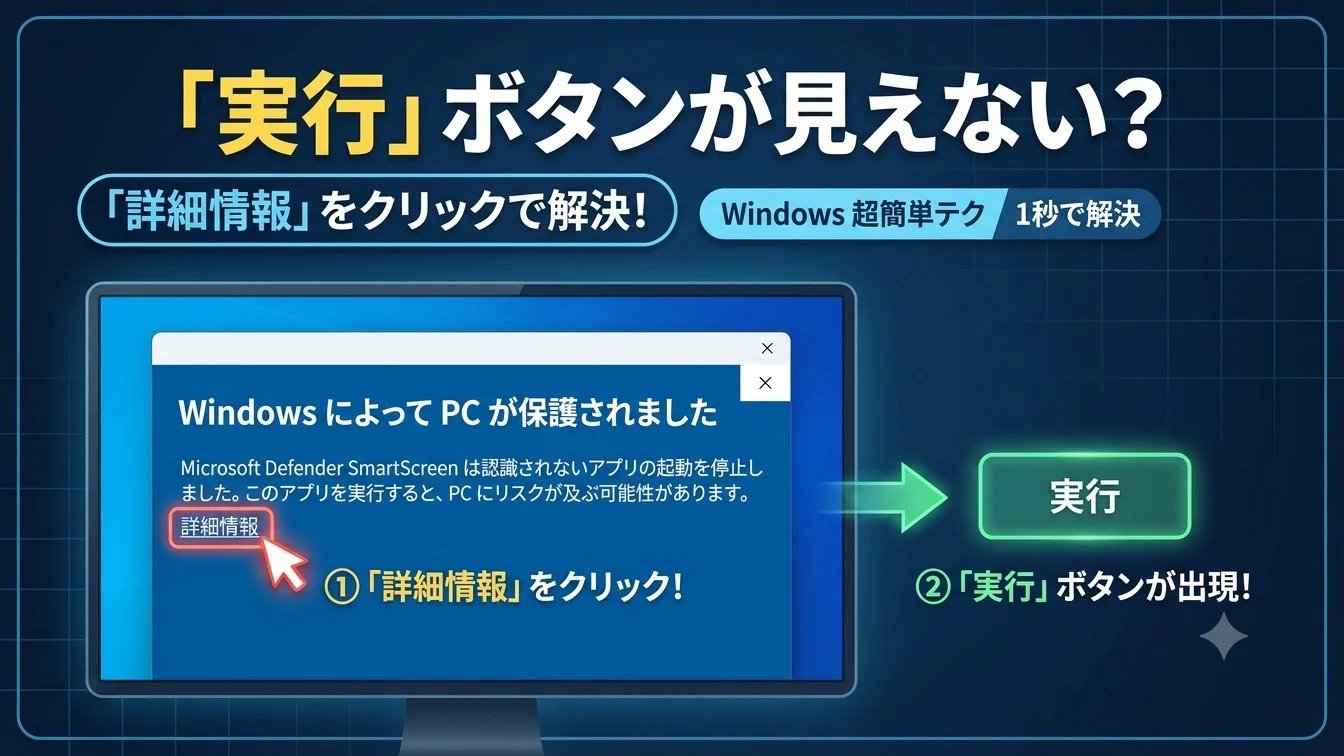
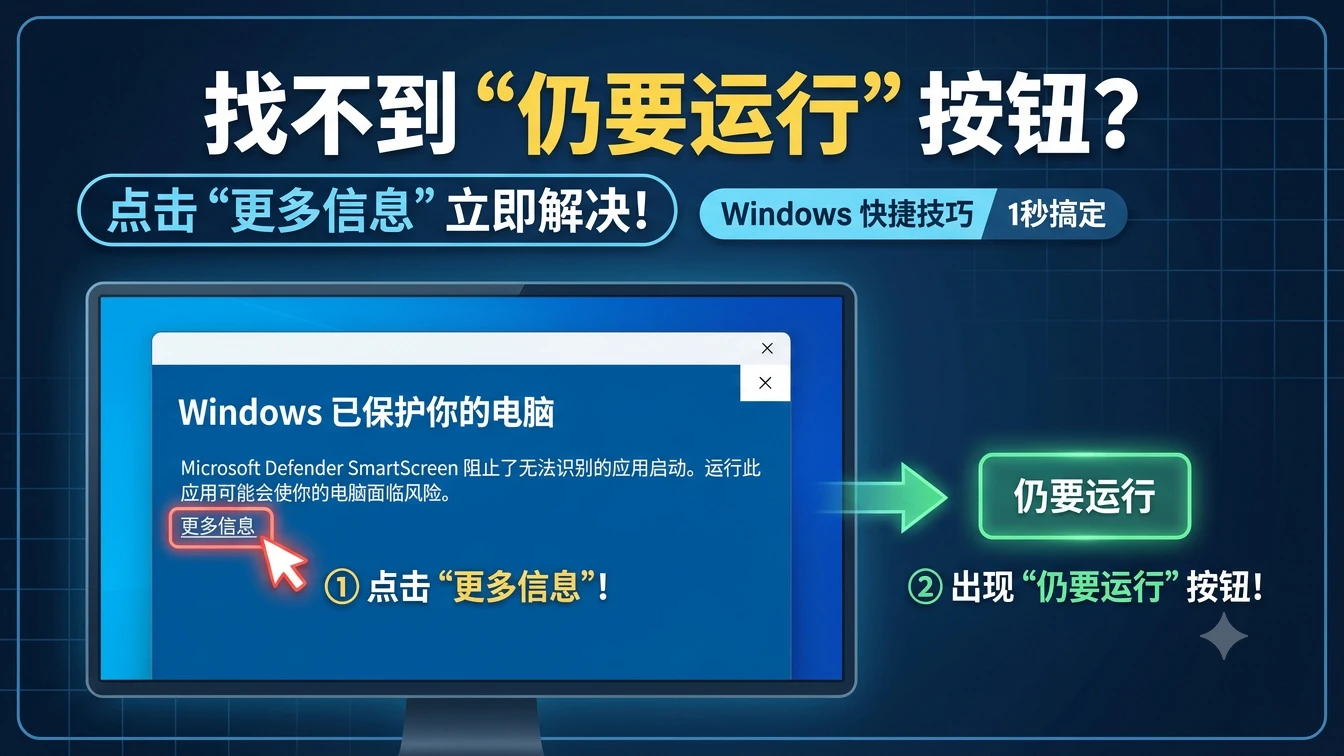
If your browser warns that the file "isn't commonly downloaded", open the ⋯ menu next to it and choose Keep. - When the blue "Windows protected your PC" window appears, don't worry. At first you only see Don't run, so it looks blocked — click the small More info link right under the message.
① First screen — click More info② Next screen — click Run anyway
- Click Run anyway when it appears. The installer opens.
- In the installer, click Next → Install → Finish. You can choose a desktop icon on the "Select Additional Tasks" page. No administrator rights or password are needed.
- If Start now is checked on the last page, the program opens right away. Shorts Machine opens in a web browser window (address 127.0.0.1). Next time, open it from the Shorts Machine icon on your desktop or Start menu.
Why does this window appear?
Windows shows this for new programs that don't have a code-signing certificate (a publisher's digital signature) or haven't been downloaded by many people yet. The Shorts Machine installer isn't code-signed yet, so it shows "Publisher: Unknown publisher". It doesn't mean there's a virus — but to stay safe, only run the file you downloaded from chedlab.org.
🍎 Mac
The Mac version is in preparation. For now the app installs only on Windows 10/11 (64-bit) PCs; there is no Mac installer (dmg) yet.
🔑 First launch: start the trial + add a Google AI key
Shorts Machine uses the Google Gemini API for video analysis, scripts, voice and thumbnails, so you add a Gemini API key from Google AI Studio once. The key is stored only on your PC. ✅ One API key is enough — the app works with just one. (If you add several, the app moves to the next key automatically when one hits its usage limit.)
- On first launch, the 🔑 Get started window appears. Click 🎁 Start 3-day free trial (no card). If you bought a pass, enter the license key from your email and click ✅ Activate.
- Next, the 👋 Welcome! Setup takes 1 minute window appears. Click 🌐 Open aistudio.google.com/apikey, or go to aistudio.google.com and sign in with your Google account. The first time, accept the terms and continue.
- Click Get API key, then the blue Create API key button. If asked to choose a project, any project (or a new one) is fine. New accounts may already have a key created — you can use that one.
- Copy the long key that starts with AIza… or AQ.…. Don't show or send your key to anyone.
- Go back to Shorts Machine and click 📋 Paste the copied key and start. (Or press Ctrl+V in the key box → 💾 Save and start.) The connection is checked right away.
To change the key later: left menu ⚙️ Settings → paste it into 🔑 Google Gemini API key (required · free) → 💾 Save → 🧪 Test connection.
Google models this key is used for — the app automatically picks the newest models your key can use. Gemini Flash family: video/product analysis, scripts, titles and descriptions · Gemini TTS: voice · Gemini image models: AI thumbnails. You can add up to 5 Google keys in ⚙️ Settings; when one hits its usage limit, the app moves to the next one automatically.
💳 Free key vs paid (billing linked)
🆓 Free key
- Create and use it right away — no card needed.
- It has per-minute and daily usage limits. Limits differ by model and Google changes them from time to time. If you hit one, wait a bit (or until the next day for a daily limit).
- Limits apply per Google project, not per key, so extra keys in the same project don't raise them.
- On the free tier, what you send and the results may be used by Google to improve its products, and people may review them. Don't enter personal or sensitive information.
💳 Paid (billing account linked)
- On the AI Studio API keys (or Projects) page, click Set up billing and link a Cloud Billing account (country, contact details and payment method).
- Once linked, usage limits go up a lot and you pay for what you use. Depending on your account, you may need to prepay credits first.
- Keys in the billing-linked project keep working as they are. If you create a new key, paste it into the same field in the app.
- Google's terms say usage you're charged for isn't used to improve its products.
- To avoid surprise charges, set up budget alerts (Budgets & alerts in the Google Cloud console). In AI Studio you can also set a per-project Monthly spend cap.
Official Google pages
Gemini API pricing · Rate limits · Setting up billing · Create budgets and alerts · Gemini API terms (data use)
Prices and limits are set by Google and change often, so we don't list amounts here. Check the official pricing page above for exact figures.